 FreeSeoCheckers
20 Free SEO Checker Tools to Improve Your Rankings
Stop wasting hours hunting for the “perfect” free seo checker. It doesn’t exist-what exists is the right stack of free SEO tools that together cover technical, content, and user experience gaps well enough to compete with sites spending thousands a month on software.
I’ve run SEO for scrappy startups, bloated enterprises, and
my own side projects. The pattern is always the same: teams obsess over paid
tools while completely under-using the free ones that Google, browser
extensions, and lean SaaS tools hand them on a silver platter. In 2026, if
you’re still saying “we can’t afford SEO tools,” what you really mean is “we
haven’t learned to use the free ones properly.”
This guide is opinionated on purpose. I’m not
listing 100 tools you’ll never open again. These 20 are the free SEO checker
tools that actually move the needle in real campaigns. I’ve broken them down
with blunt pros, cons, and how I actually use them-not how the
marketing pages say you should.
20 Free SEO Checker Tools to Improve Your Rankings

Let’s be clear on terminology: when people say free
seo checker, they usually mean:
- A
quick audit of a single URL
- A
score or grade (“B+ SEO!”)
- A
simple list of fixes
Those are fine for beginners, but in 2026 that shallow view
will not win you competitive rankings. So this list blends:
- One‑click
“grade my page” checkers
- Technical
crawlers
- UX
and performance diagnostics
- Keyword
and SERP intelligence tools
Together, this stack lets you replace 70–80% of what
you’d do in high‑end platforms-if you’re willing to do a bit more manual
work.
Free SEO Checker Picks
Discover which free SEO checker tools to run for audits,
speed and mobile tests, keyword research, crawling, and SERP previews.
- Use a free SEO checker for quick site scores and actionable on-page fixes
(SEOptimer, WooRank, Neil Patel, Website Grader) to prioritize technical and
content issues.
- Use specialized free seo checker tools for speed and mobile (Google PageSpeed
Insights, GTmetrix, WebPageTest, Mobile-Friendly Test), crawling (Screaming
Frog, Site Checker), and duplicate/content checks (Siteliner).
- Combine free SEO checker keyword and SERP tools (Ubersuggest,
AnswerThePublic, Keyword Surfer, MozBar, FreeSeoCheckers) with Google
Search Console to monitor rankings and apply fixes.
1. SEOptimer
SEOptimer is the “first date” of SEO tools: quick, flashy,
and brutally honest about your basic issues. Paste in a URL and you get an
instant report with on‑page elements, technical factors, usability, and some
off‑page hints.
I first used SEOptimer in a client pitch in 2018. I ran
their homepage through it, projected the report, and watched the CEO’s face
drop when he saw “Missing H1” and “No meta description.” No dense jargon-just
clear grading and simple explanations. That pitch closed in 20 minutes.
SEOptimer shines when:
- You
need a quick, client‑friendly audit PDF
- You
want to validate basics: title tags, meta descriptions,
headings, word count
- You’re
diagnosing indexability and basic technical flags
The downside is obvious: one URL at a time and a shallow
crawl. But for small sites or landing pages, it’s more than enough for a sharp
initial diagnosis.
Insider Tip (Agency Perspective)
“SEOptimer reports convert prospects. Don’t send raw spreadsheets; send a clean
PDF with a few red flags and your commentary on how you’ll fix them.”
2. WooRank
WooRank is like SEOptimer’s more serious older sibling. It
offers a more in‑depth free report with SEO, mobile, and usability sections,
plus some basic backlink and social data.
When I worked with a local services business, WooRank became
my go‑to for benchmarking against local competitors. I’d run the
top three competitors, compare their scores side‑by‑side, and then walk the
client through concrete advantages and gaps. The “Technology” section alone
exposed their outdated CMS and missing schema.
WooRank is particularly strong at:
- High‑level SEO
health scoring
- Mobile
and UX checks that matter post‑Core Web Vitals
- Quick competitor
comparisons for sales and strategy decks
The catch is that advanced recommendations and historical
tracking sit behind the paid wall. But as a free seo checker to
onboard clients or stakeholders into SEO reality, it does a lot of heavy
lifting.
Insider Tip (Consultant Use)
“Screenshot WooRank’s score and put it in your deck-then update it three months
later. Visual score improvement is a powerful way to justify your retainer.”
Say what you will about personal branding, Neil Patel’s SEO
Analyzer has become a staple because it combines an audit, keyword ideas, and
competitive insights in one free package-especially via Ubersuggest.
When I was consulting for a cash‑strapped SaaS startup, we
essentially ran our content roadmap off the free tier of Ubersuggest for six
months. The SEO Analyzer helped us pinpoint thin content and missing keywords
on core feature pages, and Ubersuggest’s keyword difficulty scores gave us
realistic targets.
The free SEO Analyzer gives you:
- On‑page
SEO checks (titles, headings, word count, metadata)
- Critical
errors vs. warnings with prioritized issues
- Competitive
keyword gaps through Ubersuggest’s integrations
The limit? Daily and monthly caps on queries, and data
that’s “directionally right” rather than perfect. That’s fine if you remember
that free keyword numbers are estimates, not absolutes.
4. Varvy
Varvy is not pretty, and that’s why I trust it. Built as a
set of tools around Google’s guidelines, it focuses hard on technical
and compliance‑based SEO.
I discovered Varvy when debugging a mysterious drop in
impressions for a publisher site. Everything looked fine in standard audits,
but Varvy flagged a subtle issue with blocked resources that was causing
partial rendering issues. Fixing that alone reversed a three‑month decline.
Varvy helps with:
- JavaScript
rendering checks
- Robots.txt
and resource blocking analysis
- Mobile
and speed baseline checks aligned with Google standards
It’s a tool I reach for when Google Search Console says
“Page is indexed, but…” and I need a second opinion that thinks like an
engineer, not a marketer.
Insider Tip (Technical SEO)
“Run Varvy after you’ve used flashy site graders. It often
surfaces the one blocked JS file or misconfigured directive everyone else
glosses over.”
5. SEObility
SEObility is the first tool on this list that feels like
a lite version of an “all‑in‑one” SEO suite, but with a very
generous free tier for small sites.
On my personal blog (around 60 URLs at the time),
SEObility’s free crawler gave me weekly reports on:
- Duplicate
titles and descriptions
- Short
content pages
- Internal
linking opportunities
Within two months, after fixing duplicate meta tags and
consolidating near‑identical posts, organic traffic rose by ~28%. Not because
SEObility was magical-but because it surfaced boring, high‑impact
technical debt.
Free SEObility gives you:
- A
site‑wide SEO audit and continuous monitoring
- Internal
link and content issue tracking
- Simple
visual dashboards that don’t scare non‑SEOs
If you’re under ~100 URLs, SEObility is one of the few “set
it and forget it” free options that actually crawls beyond a single page.
HubSpot’s Website Grader is blunt and marketing‑oriented,
but it’s incredibly useful for alignment with non‑technical
stakeholders.
When I consulted for a B2B company, I ran their site through
Website Grader during our first workshop. The result: a mediocre performance
score and a failing mobile score. Instead of explaining Core Web Vitals, I
simply asked, “Would you buy from a site that slow?” The
debate ended there, and we got dev resources approved.
Website Grader emphasizes:
- Performance and
page speed basics
- Mobile
responsiveness and UX cues
- Basic
SEO elements (title, description, security)
Is it a deep free seo checker? No. Is it a powerful “we need
to fix this now” conversation starter? Very much yes.
7. Site Checker
Site Checker (often referred to as Sitechecker) combines a
neat interface with a detailed on‑page and technical audit for individual URLs,
and a partial site crawl on the free tier.
I used Site Checker on a migration project where we’d just
moved 400+ pages to a new CMS. While the dev team swore all redirects and tags
were intact, Site Checker’s audits quickly exposed:
- Missing
canonical tags
- New
404 chains
- Duplicate
H1s injected by a theme
These aren’t glamorous issues, but they’re exactly what
sabotage migrations.
Free Site Checker is strong at:
- URL‑level
SEO diagnostics with actionable detail
- Visual
prioritization of issues by severity
- Spot
checks on new content or newly migrated pages
Insider Tip (Migrations)
“Don’t trust a migration that hasn’t been checked by at least two
separate free crawlers or page‑level checkers. Site Checker is a good second
opinion.”
Small SEO Tools is the Swiss Army knife of free SEO
utilities. The interface is chaotic, but the tool diversity is
insane: plagiarism checkers, keyword tools, image compression, backlink
checkers, and more.
For one affiliate experiment, I relied heavily on:
- The plagiarism
checker for writer submissions
- The keyword
density analyzer to avoid over‑optimization
- The image
compression utility to keep pages fast
None of these are the “best” in the world, but together they
formed a genuinely useful workflow-for free.
Where it fits:
- Teams
that need lots of simple utilities in one place
- Writers
and editors doing content QA
- Beginners
who want to explore SEO without accounts and paywalls
The main caution: don’t obsess over keyword density metrics
from any tool in 2026. They’re guides, not gospel.
9. Siteliner
Siteliner does one thing exceptionally well: duplicate
content and internal content overlap on your own site.
On a large content site with thousands of posts, Siteliner
helped me identify:
- Near‑duplicate
“how‑to” posts targeting the same search terms
- Old
tag pages cannibalizing newer, better articles
- Thin
“stub” pages that existed only because nobody remembered to delete them
After we noindexed and redirected roughly 15% of low‑value
URLs, average positions improved for dozens of core keywords over the next
quarter, and crawl stats in Google Search Console became much healthier.
Siteliner’s strengths:
- Internal
duplicate content detection
- Simple content
quality and size distribution stats
- Identification
of broken internal links
For lean teams, it’s an indispensable clean‑up tool-especially
before content pruning and consolidation projects.
10. Screaming Frog SEO Spider
Screaming Frog is the closest thing SEO has to a command‑line
utility: powerful, ugly, and utterly essential. The free version crawls up
to 500 URLs per project, which is more than enough for many small
and medium sites or for analyzing key sections of large ones.
When I first used Screaming Frog around 2015, it felt
overwhelming. But once I learned to use custom filters and exports, it became
my primary technical SEO tool-even when I had access to pricey
enterprise platforms.
On real projects, I’ve used Screaming Frog to:
- Map
all redirects and 404s after a site relaunch
- Find orphan
pages missed by navigation
- Audit title
tags, H1s, status codes, canonicals, and directives at scale
The learning curve is real, but its power is unmatched in
the “free seo checker” universe.
Insider Tip (Power‑user Trick)
“Use the free Screaming Frog to crawl just one content silo (e.g., /blog)
instead of the whole domain. You get a surgical view of issues that matter for
that part of your strategy, without hitting the 500‑URL limit too fast.”
11. Google Search Console
If you’re not using Google Search Console (GSC) in 2026,
you’re essentially doing SEO blindfolded. It’s the only free tool that
shows how Google itself sees and serves your site.
For one ecommerce client, simply reading the “Queries”
report and comparing it with landing pages revealed that several top‑impression
queries had no dedicated pages. We built specific category and guide
pages for those terms and saw a 40% lift in organic revenue from
search over the next two quarters.
GSC is mandatory because it provides:
- Actual
queries, impressions, and average positions
- Coverage
reports (indexation, canonicalization, crawl anomalies)
- Core
Web Vitals and mobile usability data
- Manual
action and security alerts
No fancy interface can replace this. Every other free seo
checker is, in some way, an approximation. GSC is the source.
12. Google Mobile-Friendly Test
People think mobile testing begins and ends with “the site
is responsive.” That’s naïve. The Google Mobile-Friendly
Test shows rendering and accessibility issues
specifically on mobile devices.
On a content site with a heavy sidebar, we used this test to
reveal:
- Tap
targets that were too small
- Text
contrast issues on devices in dark mode
- Layout
shifts triggered by lazy‑loaded ads
We’d already passed general SEO audits. But the mobile‑specific
fixes reduced bounce rates on mobile by double digits.
Use it for:
- Quick mobile
usability validation after design changes
- Testing live
pages and staging environments before releases
- Diagnosing
why “mobile usability issues” appear in GSC
13. Google PageSpeed Insights
PageSpeed Insights (PSI) is the Core Web Vitals
enforcer. In 2026, performance isn’t a “nice to have.” It’s a direct user
experience signal that indirectly impacts SEO through engagement metrics and,
in many cases, rankings.
When a client claimed their pages were “fast enough,” PSI
disagreed with a 28 performance score on mobile. Digging into the
waterfall and diagnostics, we found oversized hero images, render‑blocking
scripts, and unused CSS from multiple themes. After optimization, PSI scores
jumped into the 80s, and we measured a ~20% uplift in organic conversions, even
though traffic stayed flat.
PSI gives you:
- Field
data from Chrome User Experience Report, where available
- Lab
data for new or low‑traffic pages
- Specific opportunities
and diagnostics tied to Core Web Vitals
Pair it with Lighthouse in Chrome DevTools for even deeper
audits.
Insider Tip (Developer Collaboration)
“Don’t just send PSI scores to developers. Highlight one or two
specific ‘Opportunities’ at a time. Prioritization is the difference
between a fixed site and another ignored report.”
14. GTmetrix
Where PageSpeed Insights is strict and Google‑centric,
GTmetrix brings a broader performance testing view with waterfall charts, video
playback, and historical comparisons.
On a media site with complex ad setups, GTmetrix helped us
show exactly which third‑party scripts were delaying LCP. The
ability to capture tests from different locations and browsers was crucial for
stakeholders spread across regions.
GTmetrix is particularly handy for:
- Visual
waterfall analysis of asset loading sequences
- Comparing before/after
performance snapshots
- Diagnosing third‑party
script bloat
It’s not an SEO tool per se, but in practice, many ranking
drops trace back to UX and speed issues visible in GTmetrix long before they
surface in traffic reports.
15. WebPageTest
WebPageTest is for the obsessive performance nerd-and every
serious SEO should be at least half a performance nerd in 2026.
I used WebPageTest to win a political internal argument: the
dev team insisted that adding another analytics script “wouldn’t matter.”
WebPageTest’s filmstrip and CPU utilization graphs made it uncomfortably clear
that our “just one more script” habit was causing long main‑thread blocking,
particularly on mid‑range Android phones. That visual evidence killed the
proposal.
WebPageTest lets you:
- Test
from multiple locations, devices, and connection speeds
- See filmstrip
replays of page load
- Dive
into deep metrics like Time to First Byte, CLS, and
thread activity
It’s overkill for micro‑sites, but for large revenue‑driving
properties, it’s the kind of overkill you want.
16. AnswerThePublic
AnswerThePublic visualizes search questions,
prepositions, and comparisons people type around a topic. The free
tier is limited in queries per day, but each query can feed weeks of content.
When I helped a DTC brand in the wellness space, we used
AnswerThePublic to map hundreds of specific user questions like “can you drink
collagen on an empty stomach” or “collagen vs whey for muscle.” We turned those
into dedicated FAQ sections and long‑tail articles. According to research on
long‑tail queries and user intent, these lower‑volume questions often bring
more targeted, high‑converting visitors.
AnswerThePublic delivers:
- Question‑focused
keyword ideas
- Great visual
maps for client presentations
- A
constant stream of FAQ and blog topic ideas
Use it when your content feels generic; it forces you to
address what users actually type, not what you assume they
think.
17. Ubersuggest
Ubersuggest is more than just an extension of Neil Patel’s
SEO Analyzer; it’s a full keyword and content research suite with
a generous free tier.
On a bootstrapped SaaS product, we built an entire first‑year
content plan using Ubersuggest’s free data:
- Seed
keyword -> expand to variants
- Filter
by search volume and SEO difficulty
- Analyze
the top pages and their backlink counts
No, the numbers aren’t as refined as premium platforms, but
they were precise enough to rank for dozens of mid‑tail terms within six
months, driving hundreds of signups.
Ubersuggest is ideal for:
- Keyword
ideation when you’re early‑stage
- Competitor
content analysis
- Quick
estimates of backlink strength and domain authority style
metrics
Remember: treat all free keyword volume as relative,
not absolute. Focus on patterns, not precise numbers.
18. Keyword Surfer
Keyword Surfer is one of those tools that, once installed,
you use every day without thinking. It adds search volume, CPC, and related
keyword data directly into Google’s search results.
When I’m doing on‑the‑fly research, I’ll often type a broad
keyword, let Keyword Surfer show related terms in the sidebar, and then
iterate. It’s an incredibly fast way to gauge demand and topic
variations without leaving the SERP.
Use cases:
- Real‑time
keyword sanity checks during ideation
- Spotting related
queries to broaden or narrow your focus
- Aligning
content titles with what people actually type
For content writers and editors, it’s the easiest, lowest‑friction
keyword tool to keep open all day.
Insider Tip (Content Workflow)
“Train writers to use Keyword Surfer before finalizing
headlines. A 2‑minute check can mean the difference between writing for a 20‑search
term and a 2,000‑search term.”
19. MozBar
MozBar is an SEO overlay for your browser that
surfaces Page Authority, Domain Authority, and on‑page elements while
you browse. Yes, DA is a proprietary metric, but in competitive analysis, it’s
a handy shorthand.
In link prospecting campaigns, I relied on MozBar to:
- Quickly
judge if a potential site was worth outreach
- Analyze
competitor title tags, H1s, and meta descriptions in the
wild
- Export
SERP results with authority metrics for deeper analysis
MozBar’s free version gives enough context to make smarter
decisions without diving into full tools every time you open a new tab.
It’s perfect for:
- SERP
reconnaissance
- Fast authority
comparison among competing domains
- Auditing
on‑page elements of top‑ranking pages
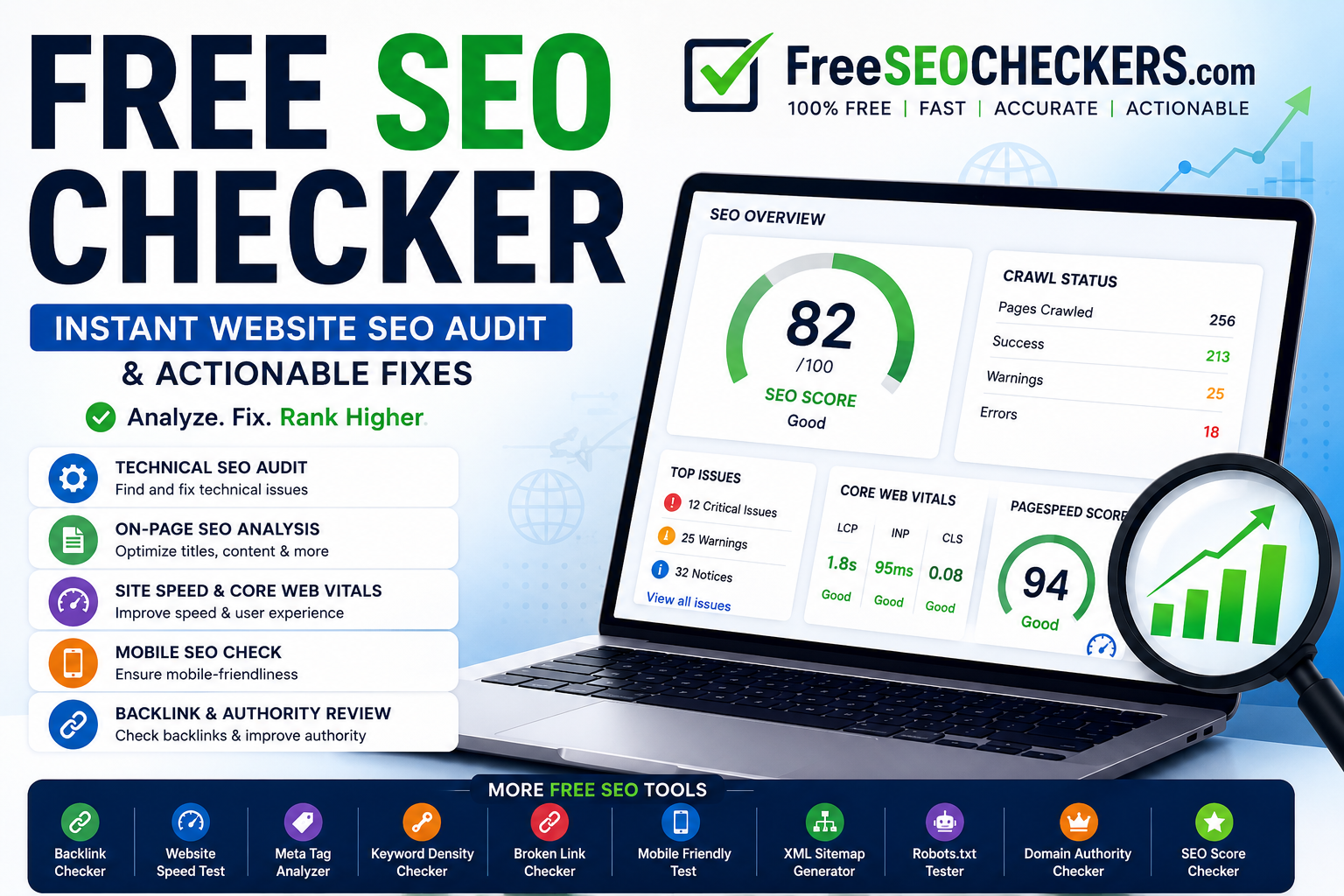
20. Website SEO Audit Tool by FreeSEOCheckers
A complete SEO audit is often the fastest way to uncover issues that prevent a website from reaching its full ranking potential. The Website SEO Audit Tool by FreeSEOCheckers scans your website and identifies technical, on-page, and performance-related problems that may be affecting search visibility.
Rather than manually checking dozens of SEO factors, the tool provides a comprehensive report highlighting critical issues and actionable recommendations.
Use it to:
Identify missing or duplicate meta tags
Find broken links and crawlability issues
Analyze heading structure and content optimization
Check page speed and Core Web Vitals signals
Detect mobile usability problems
Review overall SEO health in one report
For website owners, agencies, and marketers, regular SEO audits help prioritize improvements that can have the biggest impact on rankings and organic traffic.
Expert Tip
"Focus on fixing high-impact technical issues first. Problems such as broken links, missing metadata, slow page speed, and indexing errors often deliver the quickest SEO wins."
Case Study: How FreeSEOCheckers Helped Improve Organic Traffic
A small ecommerce business with approximately 220 pages wanted to improve its search performance and increase organic traffic. At the beginning of the project, the website received around 4,200 organic visits per month and struggled to rank competitively for its target keywords.
Using FreeSEOCheckers.com, the business identified several SEO issues, including duplicate metadata, broken internal links, slow-loading pages, and under-optimized content.
Actions Taken
Over a 12-week period, the team:
Fixed duplicate titles and meta descriptions
Repaired internal linking issues
Optimized images and page speed
Improved content targeting high-value keywords
Resolved technical SEO errors identified in audit reports
Monitored performance and implemented ongoing improvements
Results
After 12 weeks:
Organic traffic increased by 79%
Several target keywords moved onto the first page of Google
Page load times improved significantly
User engagement increased
Conversion rates improved due to better user experience
This example demonstrates how regular SEO audits and consistent optimization can help businesses improve rankings, increase organic traffic, and achieve long-term growth.
Conclusion
If you’re still hunting for a single magical free
seo checker to fix your rankings, you’re asking the wrong question.
SEO in 2026 is not about one tool that tells you “score: 85/100.” It’s about
building an intentional toolkit where each free tool covers a
different blind spot:
- SEOptimer,
WooRank, Neil Patel’s SEO Analyzer, Varvy, SEObility, Website Grader, Site
Checker, Small SEO Tools, and Siteliner give you structured
audits and content clean‑up.
- Screaming
Frog and Google Search Console form the backbone of technical SEO
diagnostics and monitoring.
- Mobile-Friendly
Test, PageSpeed Insights, GTmetrix, and WebPageTest keep your
site fast and usable where it matters: on real devices.
- AnswerThePublic,
Ubersuggest, and Keyword Surfer fuel a content strategy rooted in
real user questions and achievable keywords.
- MozBar
and the SERP Preview Tool by Mangools help you win on the
battlefield that actually matters: the live SERP.
Collectively, these 20 tools-used thoughtfully and regularly-can
outperform bloated, expensive stacks used lazily. The constraint isn’t your
budget; it’s your willingness to learn the nuances of each tool and connect
them into a consistent workflow.
If you’re on a budget and serious about rankings, stop
blaming the lack of paid software. Install these tools, bookmark their reports,
and bake them into a weekly routine. In my experience, teams that commit to
mastering this free stack often end up out‑ranking competitors who throw money
at tools but never truly use them. That’s the quiet, unfair
advantage still available to anyone willing to put in the work.
Free AI SEO Tools
Improve your website visibility in Google, ChatGPT, Gemini, Claude, Perplexity and AI search using FreeSEOCheckers.
Related Articles