 FreeSeoCheckers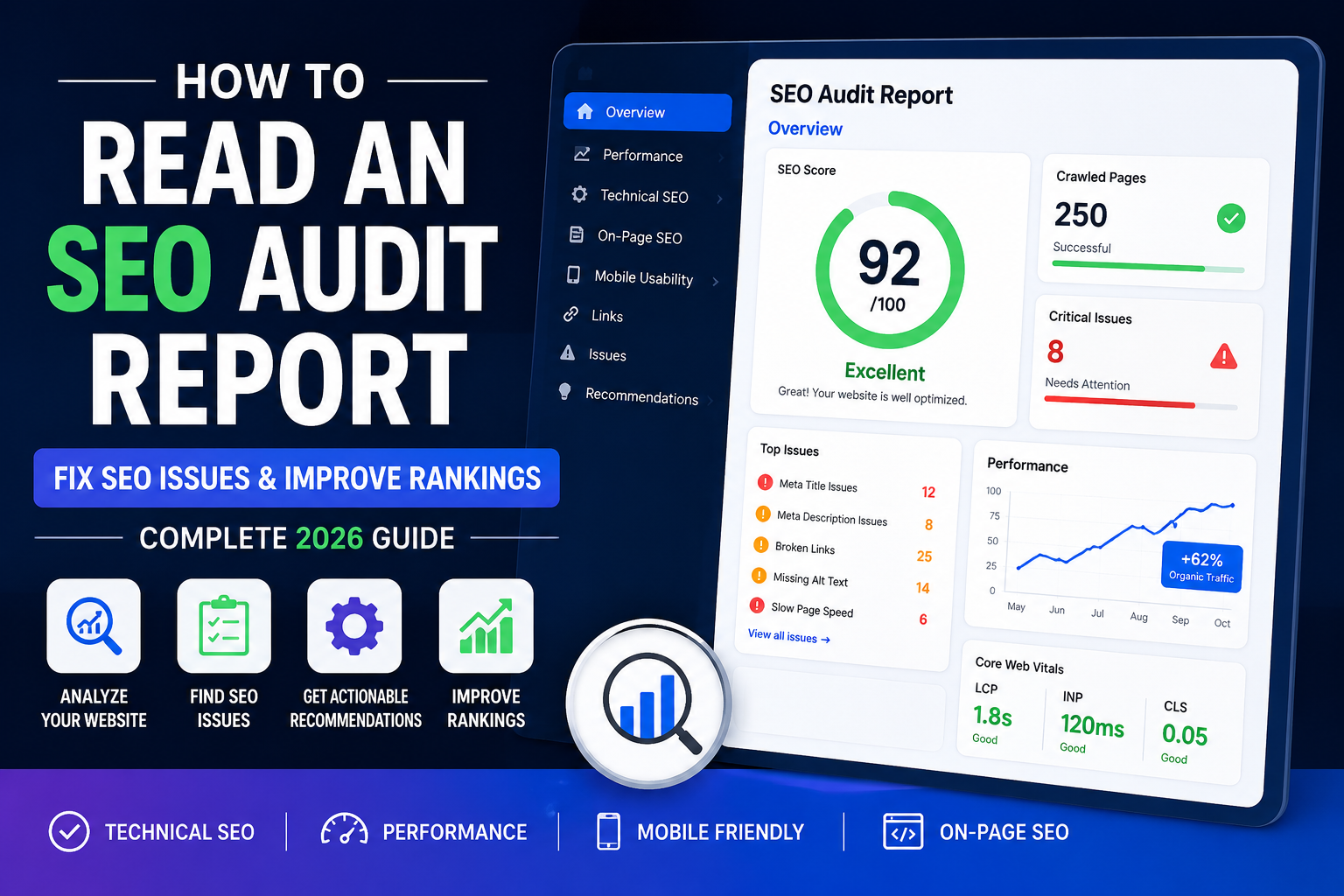
How to Read an SEO Audit Report and Fix Common Website SEO Issues
Search engine optimization is no longer just about adding keywords to a page. Modern SEO involves technical performance, content quality, user experience, website structure, crawlability, indexability, and much more.
That's why SEO audits have become one of the most important activities for website owners, marketers, bloggers, agencies, and eCommerce businesses.
An SEO audit report helps identify issues that may be preventing your website from ranking higher in search engines. However, many website owners receive an audit report and have no idea what the findings actually mean.
In this guide, you'll learn how to read an SEO audit report, understand the most important SEO metrics, and fix common issues that can impact rankings and organic traffic.
Table of Contents
What Is an SEO Audit Report?
Why SEO Audits Are Important
Sections of an SEO Audit Report
Technical SEO Issues
On-Page SEO Problems
Website Performance Issues
Mobile SEO Analysis
Internal Linking and Crawlability
Structured Data and Schema
AI SEO and LLM Optimization
SEO Audit Checklist
Frequently Asked Questions
What Is an SEO Audit Report?
An SEO audit report is a detailed analysis of a website's search engine optimization performance.
The report evaluates multiple ranking factors and identifies problems that may affect visibility in Google Search Central and other search engines.
A typical SEO audit includes:
Technical SEO analysis
On-page SEO review
Website performance evaluation
Mobile usability testing
Internal linking review
Indexing analysis
Structured data validation
Security checks
If you want to analyze your own website, start with our Free SEO Checkers Website SEO Audit Tool.
Why SEO Audits Matter
Even well-designed websites can contain hidden SEO issues.
Common examples include:
Missing title tags
Duplicate meta descriptions
Broken internal links
Slow loading pages
Missing image alt text
Improper canonical tags
Indexing errors
These issues may reduce search visibility and prevent pages from reaching their ranking potential.
Regular audits help identify and resolve problems before they negatively impact traffic.
Understanding the Main Sections of an SEO Audit Report
SEO Score
Most audit tools generate an overall SEO score between 0 and 100.
Generally:
90–100 = Excellent
80–89 = Good
70–79 = Average
Below 70 = Needs Improvement
Remember that the score itself is less important than the recommendations behind it.
Technical SEO Analysis
Technical SEO ensures search engines can crawl and understand your website correctly.
Important checks include:
Robots.txt file
HTTPS implementation
Canonical tags
Redirects
Crawl errors
Indexing status
You can create an optimized sitemap using our XML Sitemap Generator.
Likewise, you can generate search-engine-friendly crawl instructions using our Robots.txt Generator.
On-Page SEO Review
On-page SEO focuses on individual page optimization.
Your audit report should review:
Title tags
Meta descriptions
Headings (H1-H6)
Content structure
Internal links
Image optimization
Well-optimized pages help search engines understand content and improve user experience.
Common Technical SEO Issues and Fixes
Missing Title Tags
Every important page should contain a unique and descriptive title tag.
Bad Example:
Home
Better Example:
Free SEO Checker Tool – Analyze Your Website SEO
Missing Meta Descriptions
Meta descriptions influence click-through rates from search results.
A compelling description can improve visibility and attract more visitors.
Broken Internal Links
Broken links create a poor user experience and waste crawl budget.
Regularly audit your internal links and update or remove broken URLs.
Duplicate Content
Duplicate content can confuse search engines and dilute ranking signals.
Use canonical tags to indicate the preferred version of similar pages.
Website Performance and Core Web Vitals
Google uses page experience signals as part of its ranking systems.
Performance issues commonly identified in audit reports include:
Slow server response times
Large image files
Excessive JavaScript
Render-blocking resources
You can test your website using Google PageSpeed Insights.
Understanding Core Web Vitals
Core Web Vitals measure:
Largest Contentful Paint (LCP)
Measures loading performance.
Target:
Less than 2.5 seconds.
Interaction to Next Paint (INP)
Measures responsiveness.
Target:
Less than 200 milliseconds.
Cumulative Layout Shift (CLS)
Measures visual stability.
Target:
Less than 0.1.
Learn more from Google's official Core Web Vitals documentation.
Mobile SEO Analysis
Google primarily uses mobile-first indexing.
Your audit should evaluate:
Responsive design
Mobile usability
Font readability
Touch element spacing
Mobile page speed
Poor mobile experiences often lead to lower rankings and reduced engagement.
Internal Linking and Crawlability
Internal links help search engines discover and understand content relationships.
Strong internal linking improves:
Crawlability
User experience
Topical authority
Page authority distribution
Every important page should receive internal links from related content.
For example:
SEO Checker
Website SEO Audit
Sitemap Generator
Structured Data and Schema Markup
Schema markup helps search engines better understand your content.
Common schema types include:
Article
FAQ
Organization
Breadcrumb
SoftwareApplication
Proper implementation may improve search result visibility and enhance rich result eligibility.
AI SEO and LLM Optimization
Search is evolving beyond traditional search engines.
AI platforms such as ChatGPT, Gemini, Claude, and Perplexity increasingly rely on structured website content to understand brands and websites.
One emerging optimization method is implementing an LLMs.txt file.
You can create one using our LLMs.txt Generator and validate it with our validator tool.
Combining traditional SEO with AI SEO strategies can help improve visibility across both search engines and AI-powered answer engines.
Website SEO Audit Checklist
Use this checklist when reviewing your audit report:
✔ Optimize title tags
✔ Improve meta descriptions
✔ Fix broken links
✔ Compress images
✔ Improve page speed
✔ Create XML sitemap
✔ Review robots.txt
✔ Add structured data
✔ Improve internal linking
✔ Enhance mobile usability
✔ Fix crawl errors
✔ Monitor Core Web Vitals
Frequently Asked Questions
How often should I perform an SEO audit?
Most websites should perform a complete SEO audit at least once per month.
What is a good SEO score?
A score above 80 is generally considered good, while scores above 90 indicate strong optimization.
Can SEO audits improve rankings?
SEO audits identify issues that may limit rankings. Implementing the recommendations can help improve search visibility over time.
What is the difference between an SEO audit and an SEO report?
An SEO audit focuses on identifying issues, while an SEO report often tracks performance and progress over time.
Final Thoughts
An SEO audit report provides valuable insights into the health of your website. Understanding technical issues, content optimization opportunities, performance problems, and crawlability concerns allows you to make informed decisions that improve search visibility.
By regularly reviewing your website and implementing recommended fixes, you can build a stronger SEO foundation, improve rankings, and increase organic traffic over time.
Start by running a comprehensive audit with our Website SEO Audit Tool and use the findings to guide your optimization strategy.
Free AI SEO Tools
Improve your website visibility in Google, ChatGPT, Gemini, Claude, Perplexity and AI search using FreeSEOCheckers.
Related Articles